Your profile picture shapes first impressions. Here’s how to make it stand out professionally.
Core
✅ Verify visibility settings
✅ Choose a professional looking image - if needed, edit using AI
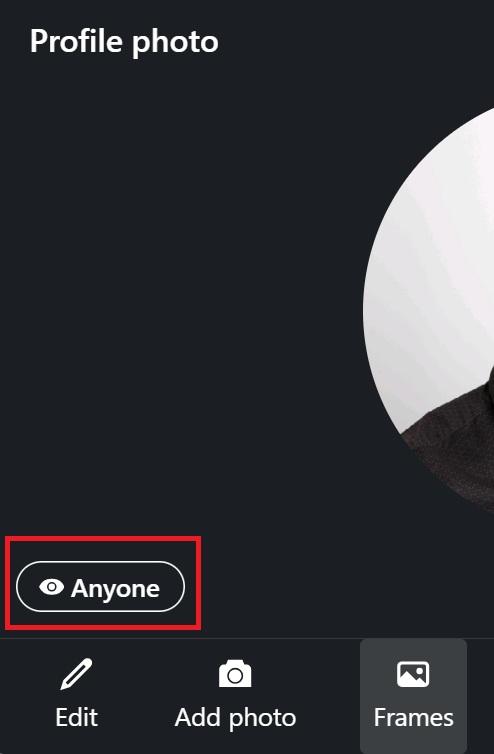
Ensure your profile picture is visible to the public.
Click on the profile picture in your profile and check its visibility at the bottom left corner.
It's bet practice to make it visible to "Anyone"
Use a high-quality, close-up photo. Your face should be clearly visible.
People are going to search you up and it makes it easy to recognize you, especially if there are more people with your name on LinkedIn.
Prefer a white background to maintain a professional tone, or use a solid or gradient color background Colorful background might stand out when you comment on a post compared to other profile pictures in the comments section.
Below are some exampled of popular LinkedIn creators and their backgrounds

When optimizing the background, consider matching it with colors used for the cover image and your featured posts
Then, use an AI tool like Gemini Nano Banana, ChatGPT or Krea.AI to refine the images and turn them into professional photoshoot-like profile pictures
Prompt: A high-quality, authentic RAW photograph of a professional individual.
The subject is wearing casual business attire, showing realistic fabric texture and weight.
The subject is facing the camera with a relaxed, approachable expression.
The image is shot on an 85mm portrait lens with an f/1.8 aperture, creating a shallow depth of field.
Lighting is soft, directional window light coming from the left, creating subtle, natural shadows on one side of the face to define facial structure rather than flat studio lighting.
The skin features high-resolution natural texture, including visible pores, slight unevenness in tone, and natural micro-details, avoiding any airbrushed or plastic smoothing effects.
There are natural flyaway hairs to add realism. The background must be completely isolated and replaced with a clean, bright off-white, not a solid digital white, with natural light fall-off.
Absolutely no elements, items, or landscapes from any source image background should remain in the final result. 4k resolution, unedited photo style.
Tools like PFPMaker (free, simple) or Canva (paid, advanced)

